
1Token
Open your wallet address on TON viewer or TON scan, select your desired token from your wallet balance, then copy its jetton wallet address.
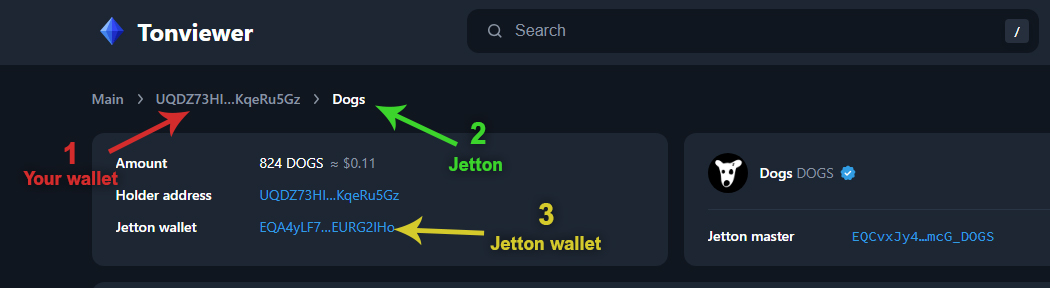
2Recipients (0)
Fee: every 100 recipients = 0.3 Gram fee, added automatically to the transaction.
No file loaded
3Connect wallet & send
Wallet status
Wallet not connected
W5 wallet required (a wallet created after 2024)
Log
Help
- Enter the jetton wallet address that corresponds to your token. A short guide is right below the input field.
- Enter the token’s decimals. Most standard tokens use 9, but a wrong value makes the amounts inaccurate.
- Upload the CSV file with the recipients and their amounts. A sample file is linked next to the upload field.
- Review the information, then send the transaction to your wallet for signing.
Each transaction can include up to 100 recipients. On top of the network fee there is a 0.3 Gram tool fee per transaction.